



Updated on: June 15, 2026
Every delivery mile has a cost associated with it, including fuel, time, and even the taxes you claim at year-end. For small fleet operators, this is essential because accurate mileage tracking can make the difference between staying profitable and incurring hidden losses.
Businesses will thus need mileage tracking apps to avoid relying on guesswork with numbers. Instead, they get to track accurate miles with almost no paperwork, while still providing owners with a clear view of where their money is really going.
Some are built for freelancers logging rides, others for businesses managing dozens of vehicles. And then there are tools like Zeo Route Planner, where mileage gets linked directly to smarter route planning.
Time to explore more.
Best Mileage Tracking Apps for Delivery Drivers
Tracking miles for delivery fleets is a way to gauge cost, efficiency, and accountability. The right app should automatically log every trip, remain accurate even when signals fluctuate, and provide clean reports for cost analysis.
Below, you’ll find five top apps in 2026 that deliver on mileage tracking tools.
Zeo Route Planner
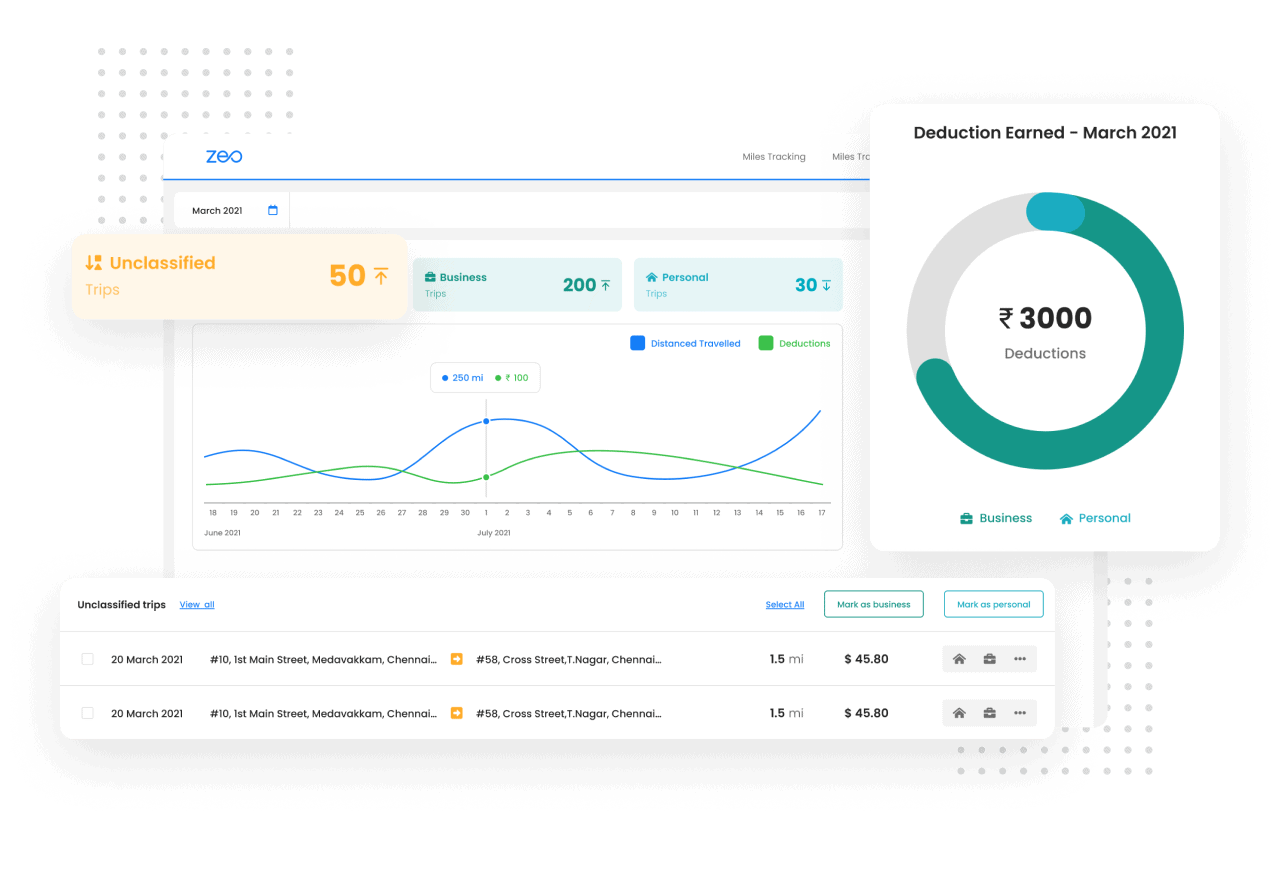
Zeo Route Planner is a substantial route optimization tool for the delivery fleets at scale. But drivers can also use it for mileage tracking, so that your business can be in full operational control.
Zeo Route Planner
The interface includes scheduling, driver apps, and analytics into one system so that the operations don’t have to cobble together multiple tools.
- Zeo’s mile tracking is fully automated and integrated. The system differentiates between business vs. personal miles, generating clean reports without manual input
- It gives the space to predefine locations, vehicles, and work hours. This way, Zeo classifies drivers correctly and separates “business miles” from outside those hours.
- Detailed miles driven reports are built into Zeo’s dashboard, ready for tax documentation or cost analysis.
TripLog
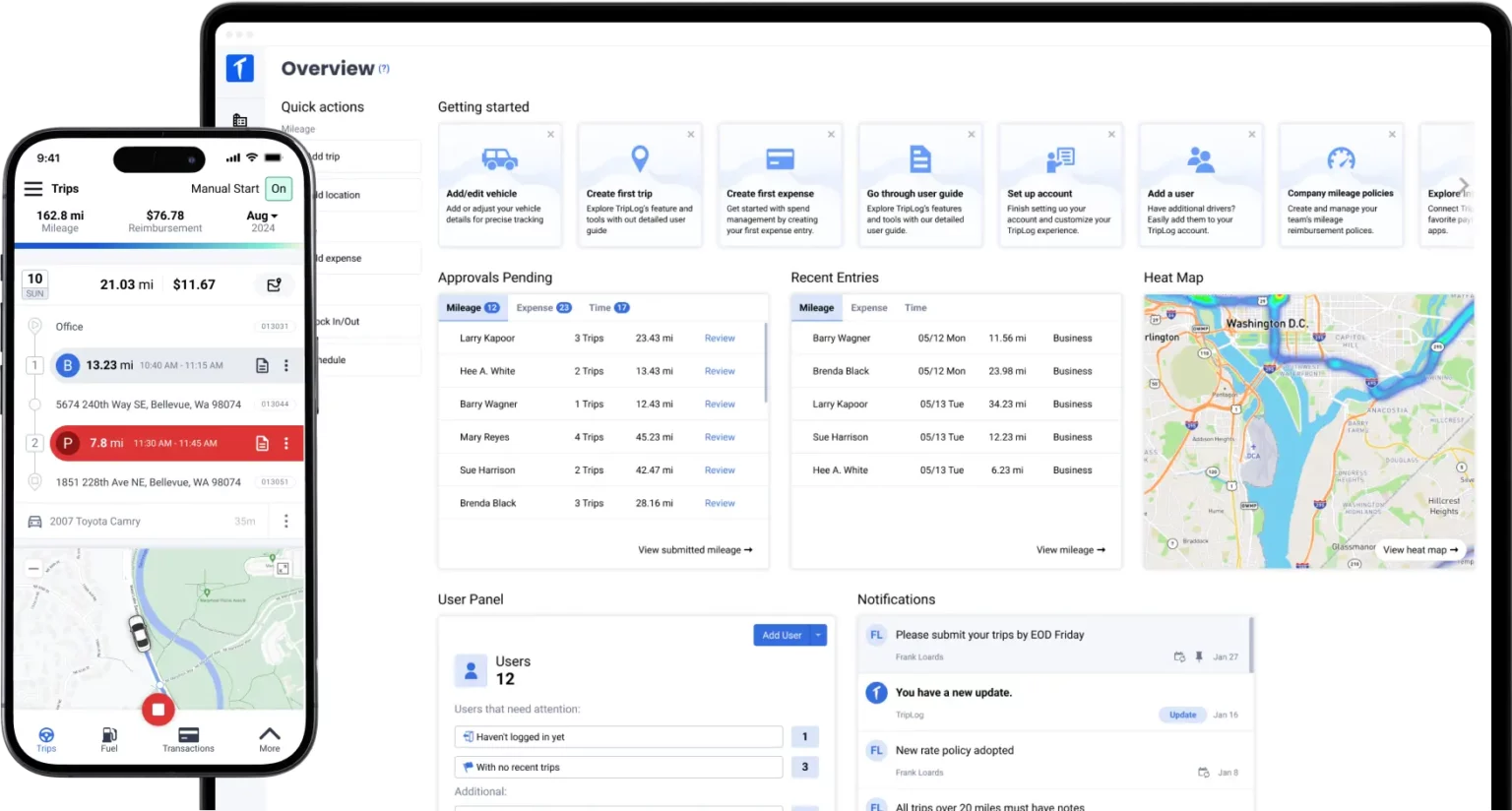
TripLog has tons of features as a mileage tracking platform, and that’s why both solo drivers and delivery fleets use it for flexibility (through mobile apps) and optional hardware.
TripLog
Operators running on the high-mileage routes can use TripLog to leverage multiple ways for capturing accurate trip data.
There is—
- Automatic mileage tracking through GPS, Bluetooth, or plug-in devices
- Work-hour classification to avoid mixing personal trips with business logs
- Tax-compliant reports with mileage vs. cost summaries to settle reimbursements
- TripLog Drive device available to reduce GPS battery drain and missed trips
A case study by TripLog reports that a client in distribution cut accounting hours by 70% after implementing its mileage tracking solution.
MileIQ
Optimize routes with our algorithm, reducing travel time and costs efficiently.
increase fuel savings
Save $200 on fuel, Monthly!

MileIQ
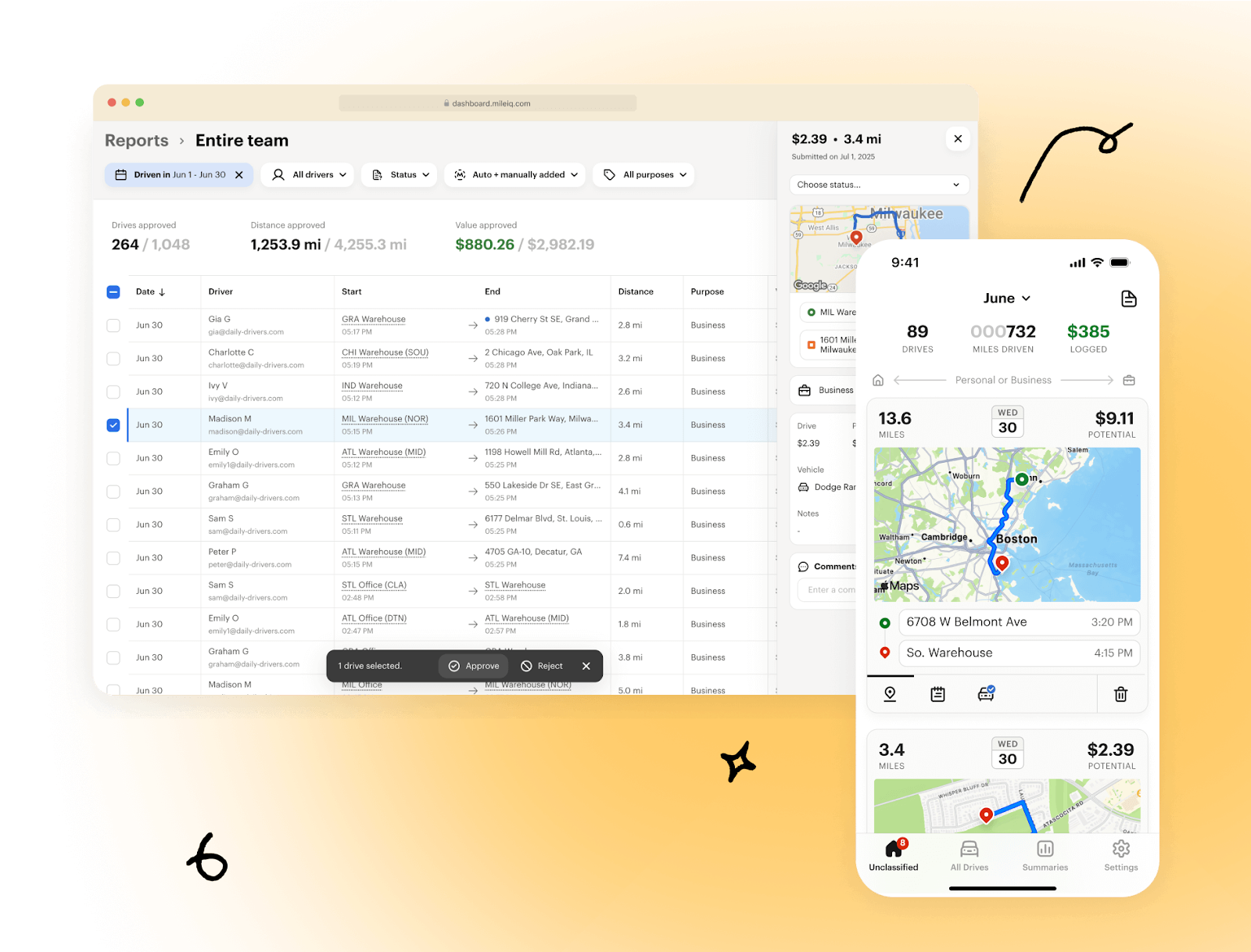
MileIQ is a well-known automatic mileage tracker built for individuals, which works great for small teams as well. It quietly runs in the background to detect drives and offer a swipe-based classification (business vs. personal).
It’s the simplicity of MileIQ that makes it a go-to for users who want mileage logged without intervention.
These features stand out:
- Automated logging of drives using GPS, motion detection, and location data without needing to start or stop a timer
- The use of “Frequent Drives” intelligence, wherein the app learns how you classify repeated trips and can auto-classify them in the future
- Exports IRS-compliant reports you can use for tax deductions or reimbursement
MileIQ showed near-perfect accuracy on a 207-mile trip with stable connectivity, but later tests revealed issues. It failed to log a 209-mile trip started offline and overestimated short trips by up to 60% when detecting incorrect start points. Reliable only with internet enabled at trip start.
Hurdlr
Hurdlr
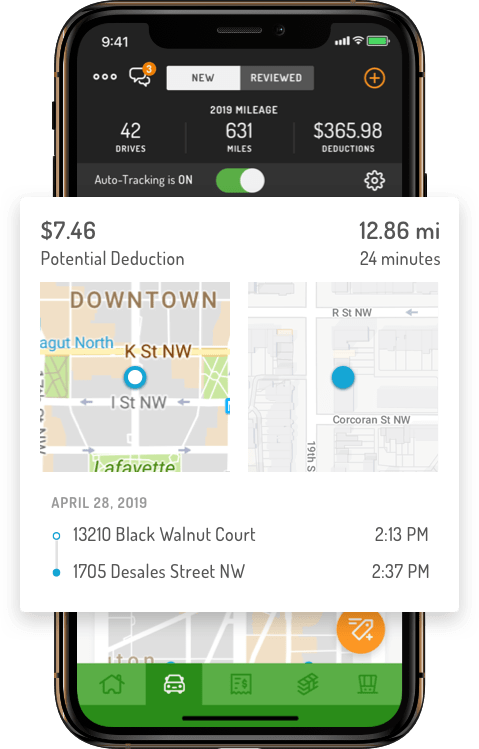
Hurdlr positions itself as an all-in-one financial app for mobile workers. Apart from mileage, it tracks expenses, income, and even provides real-time tax estimates. This makes Hurdlr a popular platform, which makes it amongst gig drivers, independent couriers, and small delivery businesses.
The app runs in the background and logs every mile automatically, without the need for manual entries or spreadsheets.
You can expect Hurdlr to offer —
- Automatic GPS that tracks trips and records without driver input
- Mileage rules let users pre-define business vs. personal drives for cleaner logs
- Scale in adoption, since Hurdlr reports 1M+ miles logged daily and over 1B miles tracked across its user base
Test Results
In controlled testing by Timeero, Hurdlr logged 5.17 miles versus a vehicle odometer’s 6.32 miles, underreporting short trips because it only tracks movement above 10mph.
Conclusion
Mileage tracking has moved from being a tax-season chore to a daily necessity for delivery businesses. There are many delivery mileage tracking apps that delivery drivers can use, and each of these comes with a different niche and features.
But if the operators are running fleets, then the requirement is often beyond the mileage alone. That’s why you may benefit from using Zeo Route Planner, which combines accurate mileage logs with route optimization, dispatch control, and real-time reporting in a single platform.
Ready to cut wasted miles and keep every trip accountable? Start your 7-day free trial today.

Are you a fleet owner?
Want to manage your drivers and deliveries easily?
Grow your business effortlessly with Zeo Routes Planner – optimize routes and manage multiple drivers with ease.

increase fuel savings
Hassle Free Deliveries & Pickups!
Optimize routes with our algorithm, reducing travel time and costs efficiently.
Get Started for Free



















