


Updated on: January 11, 2026
Reading Time: 5 minutes
TL;DR: The right route planner for your delivery process is one that combines fast route optimization, real-time tracking, ease of use, and reliable support at a price that scales with your business. Route optimization alone can save businesses significant time and fuel costs by cutting inefficient driving. Route optimization tools like Zeo Route Planner address this with AI-powered route optimization and live GPS tracking, helping delivery teams save 2+ hours daily.
We often see that every route planner app provider claims that they provide the best route planner app for small and medium businesses. Some claim that they provide the best free route planner for delivery drivers, while others claim that they provide the best multi-stop route planner app for delivery drivers.
How do you know which app is right for your business?
Before selecting any route planner for your business, you must ask few questions to:
- What is your company, and what kind of features do you need?
- Who are the customers of your route planner providers?
- What are the monthly charges by the route planner app?
- Do the charges grow as your business grows?
- How good is the customer service of the route planner provider?
Getting the answers to the above questions will definitely bring a clear picture of your needs, but there are still many factors that you need to have a look at before getting the best routing app for your business.
Choose the Best Multi-stop Route Planner App for your Delivery Drivers
We have formulated some points to understand what you should look into a route planner app. Let’s discuss some points will definitely help you to choose the best multi-stop route planner app for your delivery drivers.
Route Optimization and Real-Time Tracking
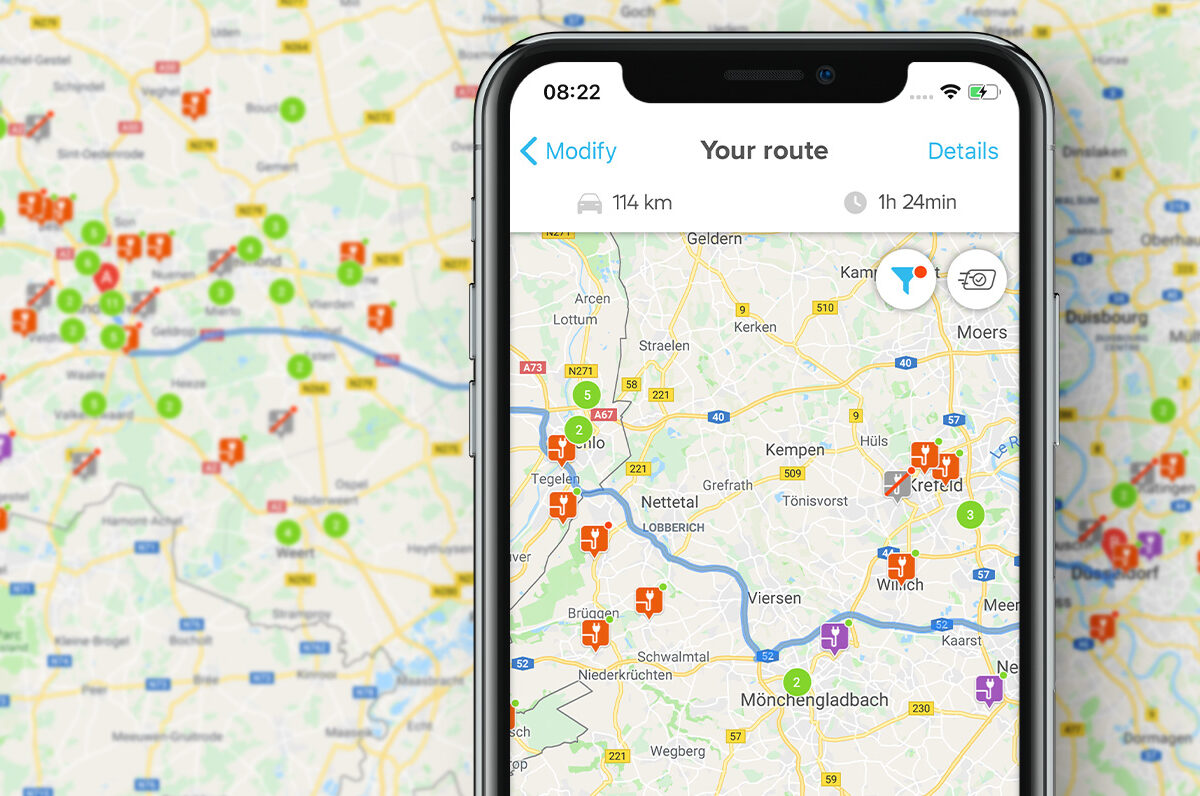
The route planner can be said to be the best if it offers dynamic route optimization. With the help of dynamic route optimization, you can cover a vast range of addresses, thus saving a lot of money on fuel and labor. According to the U.S. Bureau of Transportation Statistics, commercial vehicles log billions of miles each year, making even small efficiency gains from optimized routing significant at scale.
With dynamic routing, you can manage highly unpredictable operations and ensure that they fulfill customer expectations without sacrificing performance. Another essential feature that is needed in the delivery process is real-time tracking.
With the help of real-time tracking, you can get to know where your drivers are heading. Your customers will have a negative experience if you promise them deliveries at particular times and then your driver arrives later. With GPS tracking, you will be updated about your driver’s location and can then provide your customers with accurate ETAs, thus forging a bond of trust with them.
It would be best to consider that your routing app doesn’t take a long time to optimize the route. It should be able to optimize the route within a minute. The routing app should also provide various settings/features that can be used by the drivers when they are out for delivery because that can be the icing on the cake.
The service route planner should come with a mobile app for Android and iOS to help you plan routes and monitor on-road activities while on the go. The delivery route planner app should have an eSignature feature to help your drivers capture and store customer signatures on the app and facilitate proof of delivery.
Ease of Use
It would help if you always tried not to use that routing app, making your and your drivers’ job harder instead of simplifying it. While choosing the routing app, you have to see that it provides tutorials and guidance so that your drivers can easily refer to it if they need it and continue with the delivery process.
The delivery planning software should require little learning for both your drivers and you, which means it has to be extremely easy to use. Moreover, the route optimizer shouldn’t require buying new hardware. It should also offer in-depth training materials that explain every feature and process step by step, with images and screenshots that are easy to comprehend.
Additional Features
You might want to consider a driving trip planner that supports your business growth and is scalable. Today you might be okay using a multi-stop route planner app that only plans a certain number of routes, but what happens when your business grows, and you need to plan thousands of routes for a hundred drivers?
So it would help if you looked for routing apps that can provide scalability and limitless route planning and saved routes for future usage. Also, consider if the routing app is capable of evolving with your business, removing unnecessary routes and drivers as you move along.
This is only possible when the multi-stop route planner collects and uses information from your on-road operations instead of depending on pre-compiled data. It will then be able to provide the best service to you.
Support
One of the most crucial things you should look into in the routing app is customer support. It must offer easy and quick accessibility to the support staff so that you can contact them whenever you need assistance, rather than having to waste hours being on hold for answers. They should offer multiple contact options, such as email, phone calls, and live chat.
If you have good support from the routing app, it can help you tackle any problem you are facing. This will lower your burden, thus provide you with the best experience of using the routing app.
How can Zeo assist you with the Delivery Process?
Zeo Route Planner provides all the features needed for the multi-stop routing app. It also provides you with the best optimizing algorithm option to add additional details for your stops. Some of the key features of Zeo for all delivery service business are as follows.
Optimize routes with our algorithm, reducing travel time and costs efficiently.
increase fuel savings
Hassle Free Deliveries & Pickups!

#1. Live Route Tracking
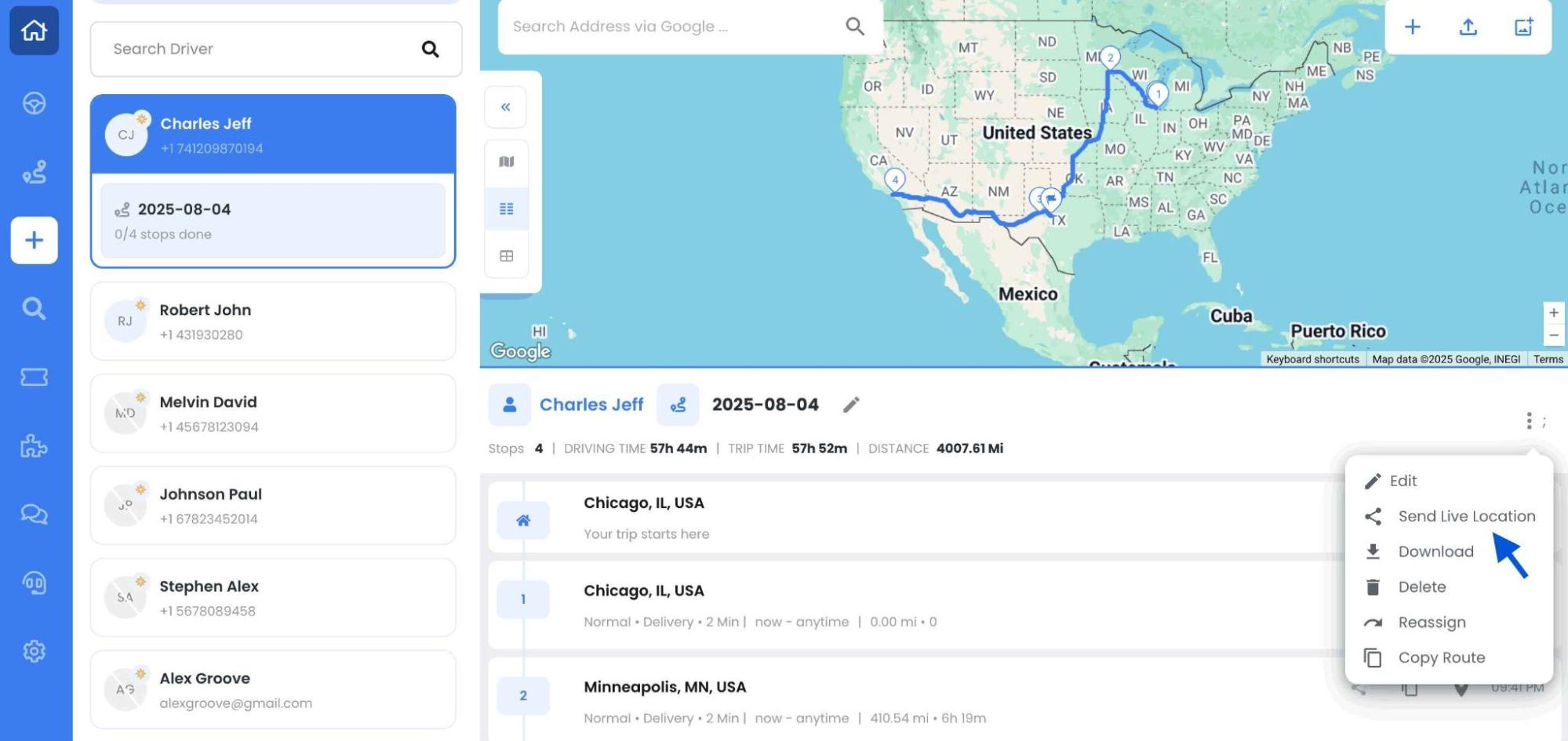
Real-time visibility changes everything. With Zeo’s live route tracking, dispatchers can monitor every driver’s movement on the road. If a driver takes a wrong turn, hits a delay, or finishes early, you’ll see it instantly. This allows for real-time decision-making and faster customer communication.
#2. Route Optimization
Zeo’s route optimization feature automatically calculates the best sequence of stop. By optimizing delivery routes per day more deliveries are done, without adding more vehicles or drivers. This reduces operational stains and provide on-time deliveries for the customers.
#3. Driver Management
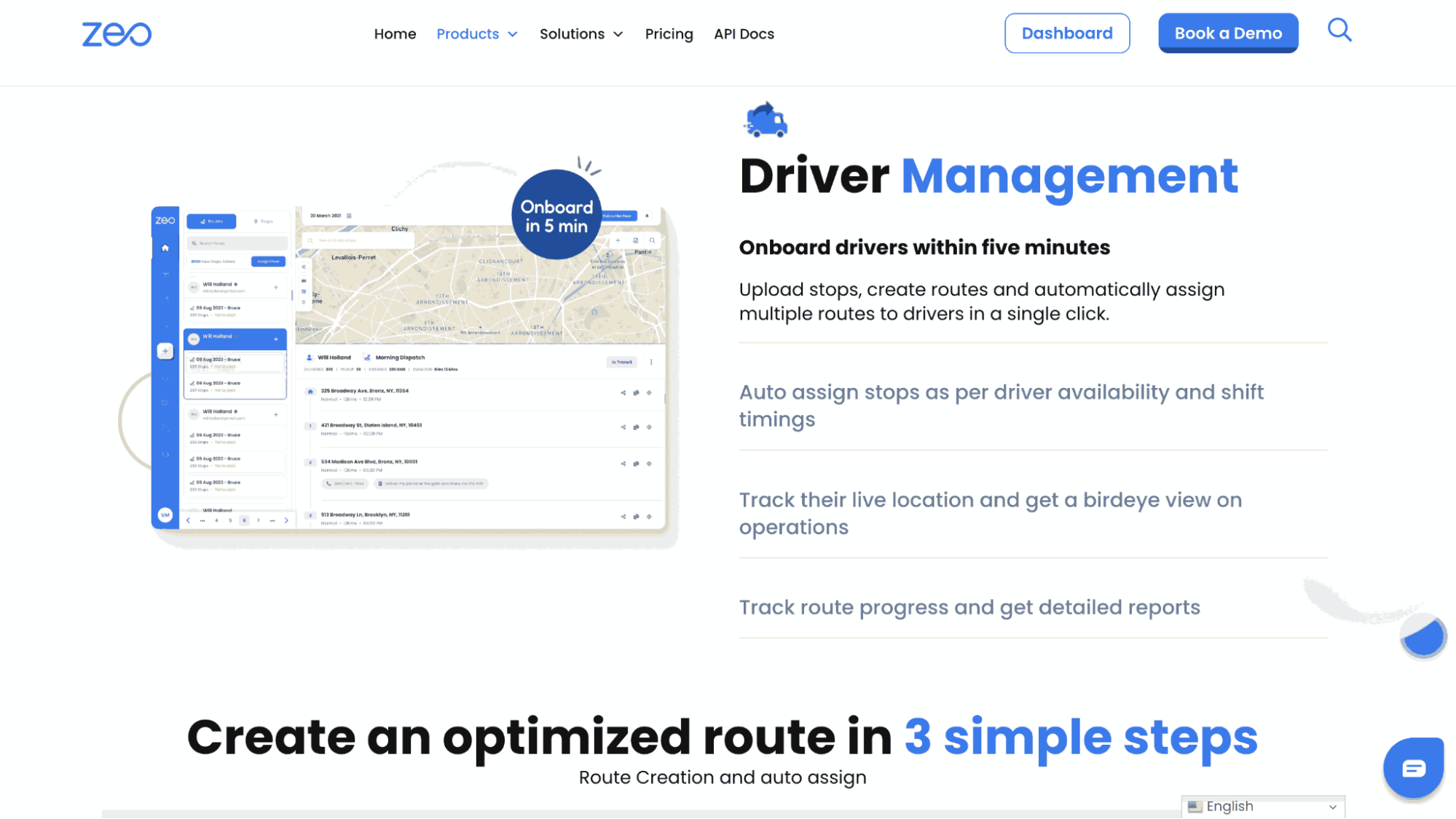
A successful delivery operation depends on a well-coordinated team. Zeo’s driver management features let you assign jobs fairly and track individual performance. It support your drivers better throughout the day and provides real-time information on driver behavior and vehicle usage for smooth fleet operation.
#4. Proof of Delivery
Zeo can easily solves disputes and confusion with it’s proof of delivery feature. Using this proof of delivery feature drivers can take time-stamped photos and capture signatures, all through the app. Within the Zeo platform proof of delivery feature provide a seamless way to confirm and record deliveries directly.
#5. Automated Delivery Updates
With Zeo’s automated delivery updates, customers always get all information completely. These real-time notifications cut down on missed deliveries and eliminate unnecessary phone calls. This feature keep customers feeling confident about your service.
#6. Mobile App for Drivers
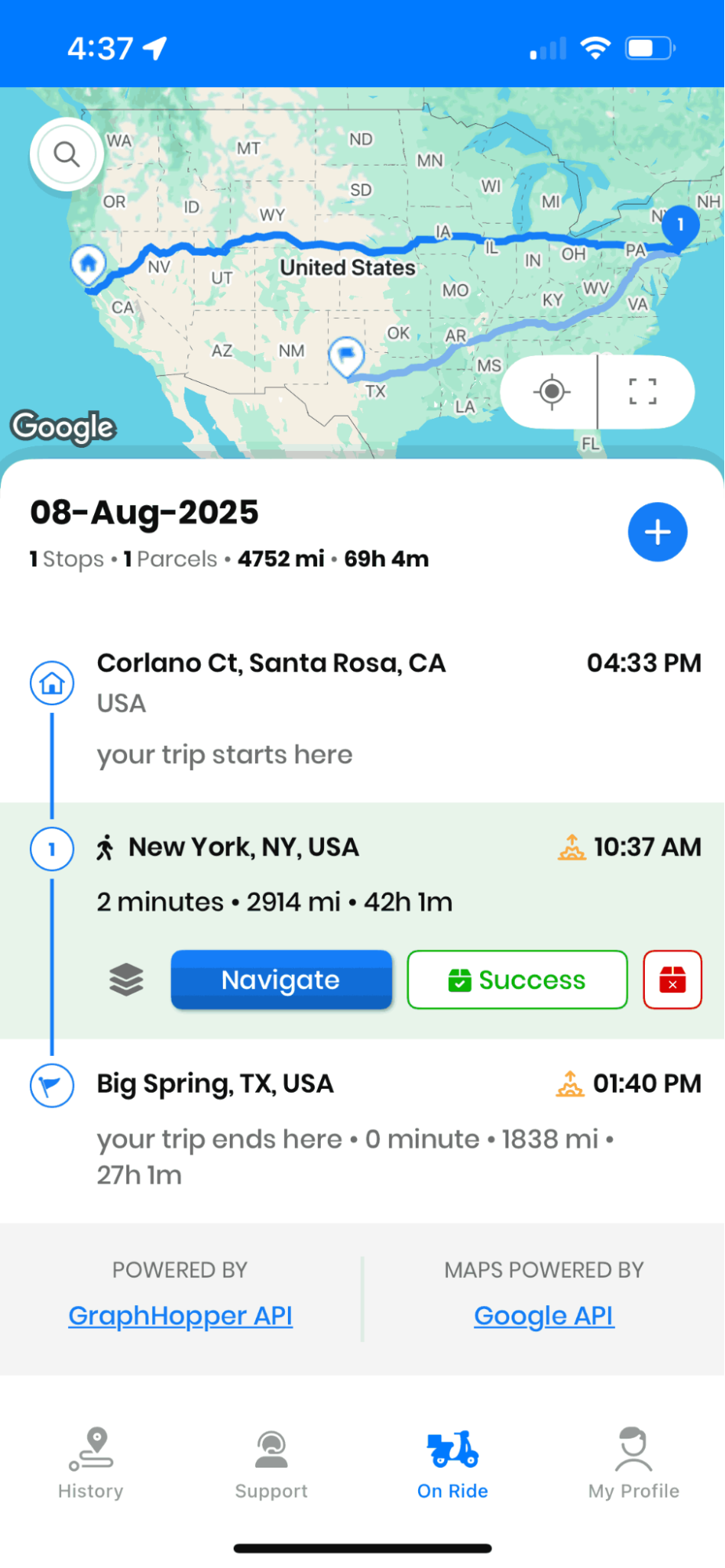
Zeo’s mobile app is more than a map. It gives your drivers everything they need to perform – optimized routes, live updates, proof-of-delivery tools, and direct communication with the dispatch team. When drivers aren’t stuck figuring things out, they move faster, make fewer errors, and provide a secure delivery experience.
Conclusion
We have listed all the necessary points to help you get the best routing app for your delivery process. By referring to all the above points, you can easily decide which one to use. Though it is always difficult to decide the best app with the above points’ help, you can easily choose the best routing app for your business.
Zeo Route Planner has always worked to provide the best services to our customers. We constantly keep working to provide an app that can ease the process of last-mile delivery. With the help of our routing services, you can definitely reach your customers better and increase your profits.
Frequently Asked Questions
1. What factors increase delivery costs the most for small businesses?
Fuel consumption, inefficient route sequencing, and idle time between stops are the biggest cost drivers in last-mile delivery. The EPA’s fuel economy data shows that stop-and-go driving and excess mileage significantly reduce fuel efficiency, which is why route sequencing matters as much as vehicle choice.
2. How many stops can a driver realistically handle in an 8-hour shift?
The number depends on stop density, service time per location, and traffic conditions, but most urban delivery drivers average between 15 and 30 stops per shift. Rural or long-distance routes typically involve fewer stops due to drive time between locations.
3. What’s the difference between a route planner and a route optimizer?
A route planner simply maps out a sequence of stops, while a route optimizer uses algorithms to calculate the most efficient order based on distance, time windows, and vehicle capacity. Zeo Route Planner’s AI-powered route optimization recalculates the best stop sequence automatically, a capability that helps delivery teams save 2+ hours daily compared to manual planning.
4. How do delivery businesses handle customer complaints about late arrivals?
Most businesses reduce late-arrival complaints by proactively communicating delays through automated notifications and live tracking links rather than waiting for customers to call. Zeo’s customer notifications and live ETA updates give customers real-time visibility into driver location, which cuts down on “where’s my delivery” calls to dispatch.
5. Do delivery drivers need special training to use route planning software?
Most modern route planning apps are designed to require minimal training, often just a short walkthrough of the mobile interface before a driver’s first shift. Look for software with in-app tutorials, simple navigation integration, and one-tap access to proof-of-delivery tools so new drivers can get up to speed within a single day.

Are you a fleet owner?
Want to manage your drivers and deliveries easily?
Grow your business effortlessly with Zeo Routes Planner – optimize routes and manage multiple drivers with ease.

increase fuel savings
Save $200 on fuel, Monthly!
Optimize routes with our algorithm, reducing travel time and costs efficiently.
Get Started for Free



















