


Updated on: January 9, 2026
“`html
Reading Time: 6 minutes
TL;DR: Zeo Route Planner helps small and medium businesses grow by letting them run their own deliveries instead of paying steep third-party commissions. As of 2026, delivery-first business models continue to expand as SMEs look to control the customer experience and cut costs. Route optimization tools like Zeo Route Planner address this with AI-powered route optimization and proof of delivery features, helping SME delivery teams save 2+ hours daily.
The COVID-19 pandemic has taught us many things, and one such important thing is self-dependence. We have seen in the past few months how the world has changed due to this pandemic. Another important thing to notice is that the COVID-19 crisis has accelerated the number of small and medium businesses to do their own delivery. This shift is mainly due to the local and then national lockdown. Another reason is that consumers were hesitant to shop, eat, and drink in busy towns and cities.
What do Small And Medium Businesses Need?
At Zeo Route Planner, we’ve seen an increase in the number of retailers kicking off their own delivery operations. From conversations with our users, over 50% say they’ve changed how they sell to customers. They have either added delivery if they didn’t exist or are focusing more on delivery where it was previously on the back-burner. At the same time, this has just boosted a shift that was already happening.
For example, eCommerce’s growth had pushed more SMEs to start a delivery team or begin working with third-party delivery services to reach their customers. As of 2026, this trend has only accelerated, with more SMEs bringing delivery in-house to protect margins and customer relationships. Zeo Route Planner can ease the burdens of running your own SME deliveries. It provides you with features that help you grow your SME, and some of them are as follows:
Scaling up Delivery Services
When your business needs to increase the number of deliveries quickly, your processes will come under inevitable pressure, which is always a challenge to handle. But this is exactly where delivery management software can help save time and money.
Zeo Route Planner’s AI-powered route optimization saves delivery teams 2+ hours daily on planning and dispatch. It has helped its customers directly track the delivery status and serve their customers better. It also provides bulk address import through Excel, CSV, and Google Sheets, along with photo capture for proof of delivery, which helped in the small business’s growth. Businesses managing larger or more complex deliveries can also review this equipment delivery management playbook for additional planning strategies.
Avoiding Costly Third-Party Delivery Services
Third-party delivery services will take a large cut out of your margins. For example, food delivery companies like Uber Eats, DoorDash, Postmates, Grubhub, or Deliveroo will snatch somewhere between 30-40% commission on each order, according to industry reporting from the Federal Trade Commission on delivery platform practices.
And when you sign up for these services with a third-party courier, you tend to lose control of the customer-facing process if you’re working in retail. So, for many businesses, it makes more sense to run their own deliveries. But this isn’t easy. This is exactly where Zeo Route Planner can help you and your business.
The main issue faced by these customers is routing and planning the delivery. They have to manage their drivers and divide them according to the locality. But now, with Zeo Route Planner, they get the feature to optimize their route so that they can get the best route to deliver all the packages to their customers on time.
Embracing a New Business Model
Small businesses can also cut out the middleman by using Zeo Route Planner to power their direct-to-consumer (D2C) delivery operations. They can sell via eCommerce directly to the public, rather than wholesaling their goods in bulk to merchants. Retailers evaluating software options for this shift can compare choices in this route planner guide for 2026.
Improving Customer Experience
Customer experience is essential in the business field. At Zeo Route, we have always tried to provide the customer experience at top priority, and our app has also taken the customer experience into priority. And when you’re delivering to people at home, the delivery experience is a key part of crafting this customer service. Good business understands what type of experience you want your client to have. According to the U.S. Bureau of Labor Statistics, delivery-related roles continue to grow as more businesses shift toward in-house logistics.
How Zeo’s Delivery Feature Helps SME’s Grow
Based on a small survey done with our clients, we have formulated some points which will tell you what the features that small businesses look for are. As of 2026, these needs have only grown more specific as SMEs compete with larger delivery-first competitors. It will help you understand how Zeo Route Planner has fulfilled its customers’ requirements and are always dedicated to providing new features for their clients.
Let’s see how Zeo Route Planner is helping its customers to achieve their daily target and eventually providing growth to their business.
#1. Route Optimization
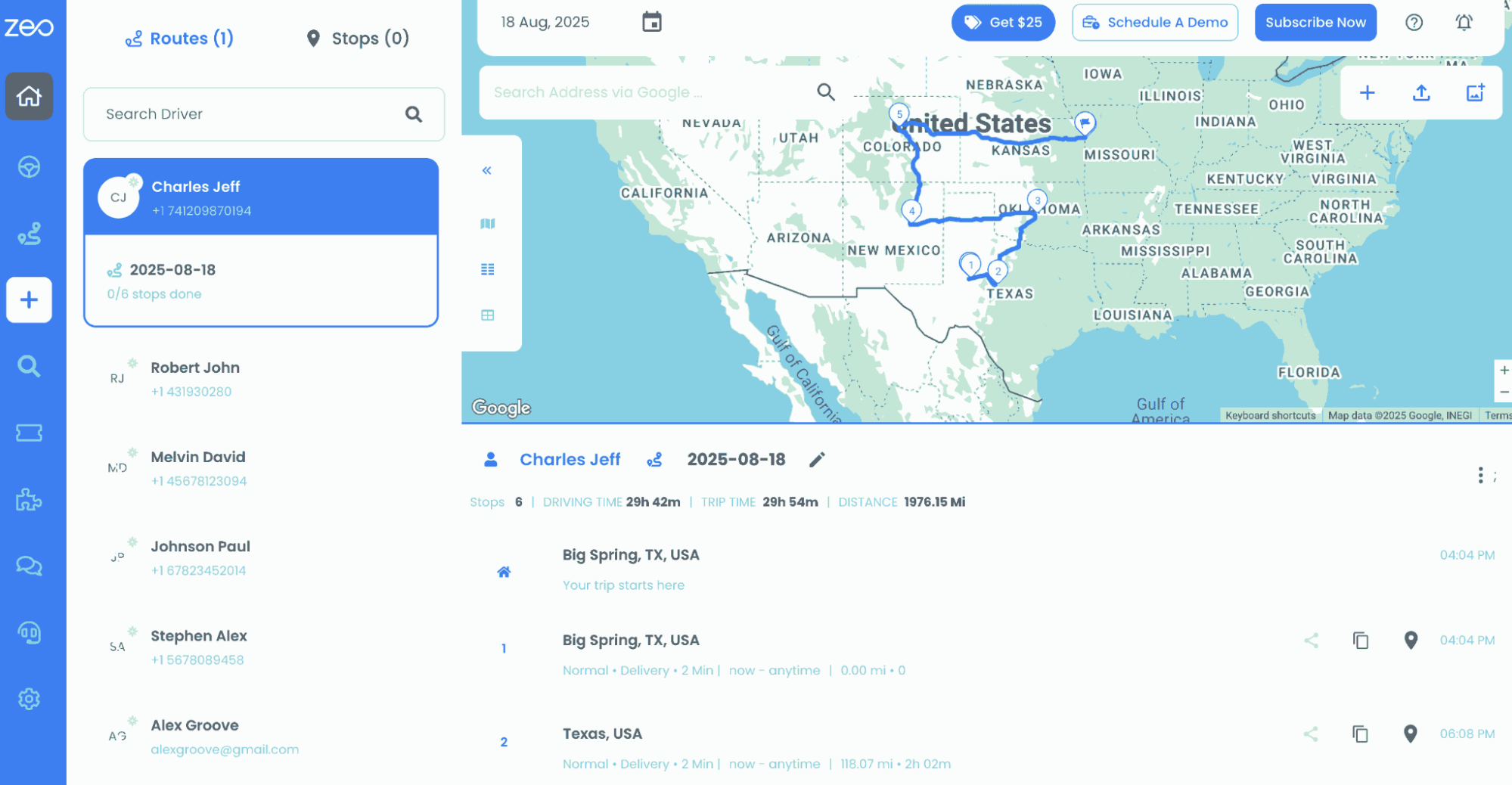
Zeo’s advanced algorithms can create a smart route by route planning technique. It ensures fast delivery time and optimizes multiple stops in one trip, reduces fuel costs and driver hours. It can also efficiently handle numerous deliveries without overwhelming drivers.
Optimize routes with our algorithm, reducing travel time and costs efficiently.
increase fuel savings
Save $200 on fuel, Monthly!

#2. Live Route Tracking
With Zeo’s live route tracking, SEM’s owners can monitor every driver’s movement on the road. They can find exactly where their fleet is and how each route is progressing, and also when a delivery is expected to arrive. If a driver takes a wrong turn or gets delayed, the fleet managers can find it instantly.
#3. Skill-based Stop Assignment
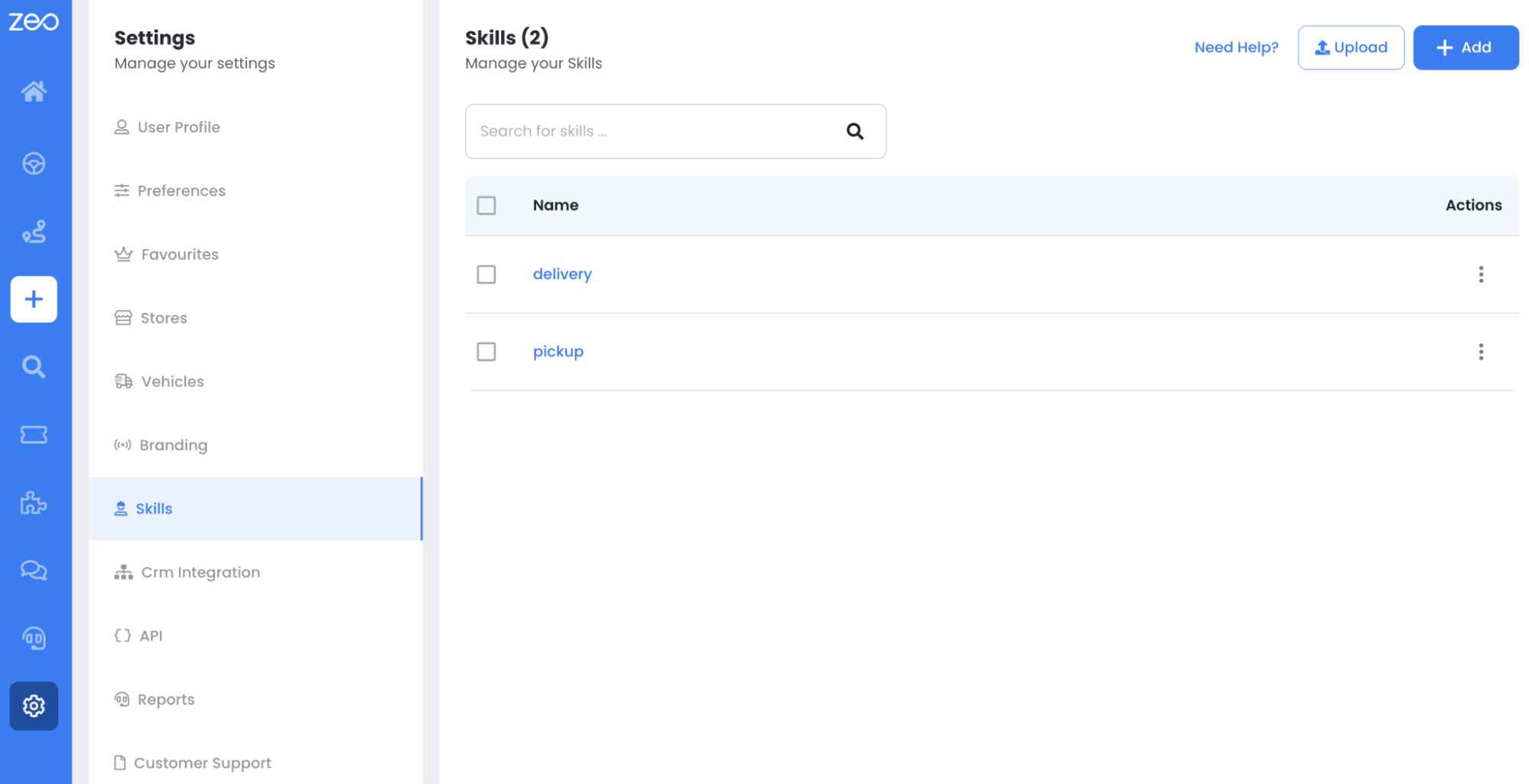
Zeo is the only route planner that solves the issue of skill-based optimization for technicians working in different SMEs. Skill-based optimization is a key requirement for many field service professionals. Simply put, it means assigning activities ( or stops) to technicians or drivers based on their skill and expertise level.
#4. Parcel Management
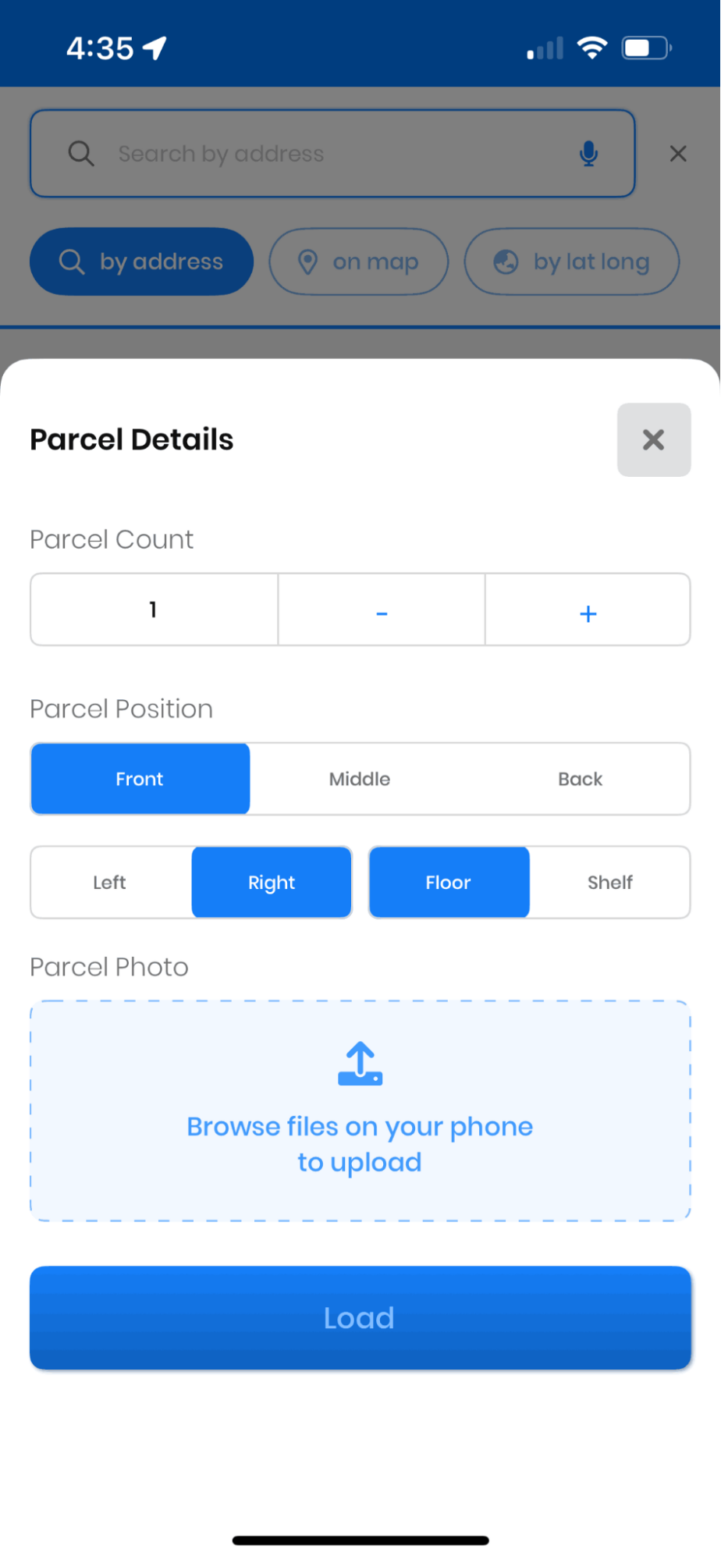
Zeo’s Mobile App enables drivers and managers to update parcel information on the go, allowing them to manage sudden changes, adjust delivery plans, and update customers in real-time. This agility ensures accurate parcel information and seamless delivery operations, ensuring efficient handling of last-minute address changes and package re-routing.
#5. Proof-of-Delivery (PoD)
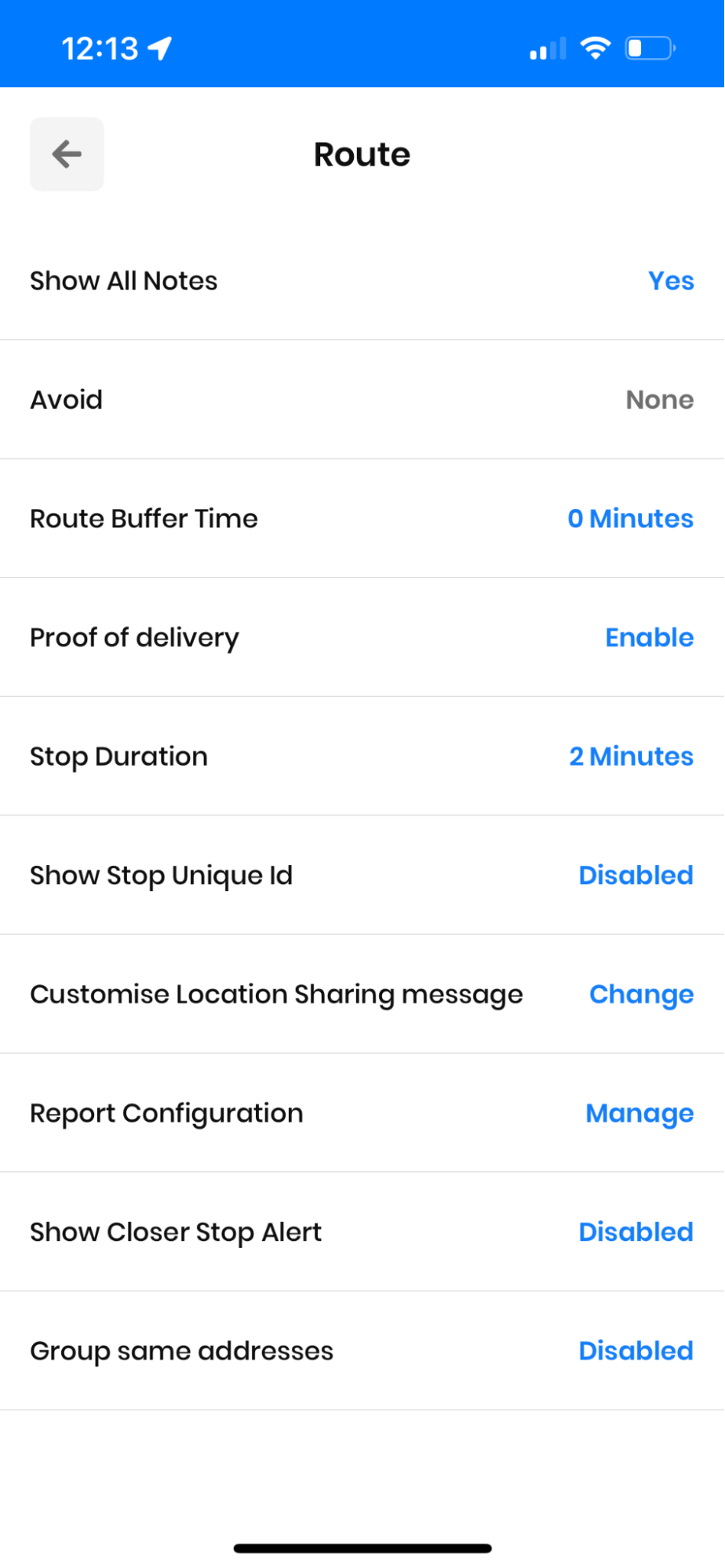
Using the Zeo Route Planner delivery app, your drivers can capture photographic or signature proof-of-delivery. This is automatically uploaded into the system, so you know exactly where goods have been left.
Import a spreadsheet of orders and addresses, and Zeo will create the best route for your delivery drivers. No more manual route planning, saving you and your drivers hours every day.
Conclusion
Small business owners are increasingly looking at local delivery to serve nearby customers. Still, they also need to streamline processes and help drivers get around town quicker without needing extra hardware beyond their mobile device.
A delivery management solution like Zeo Route Planner will help with route optimization, live route tracking, skill-based stop assignment, parcel management, and proof-of-delivery recipient updates, giving your SME access to lots of traditionally reserved functionality for a delivery business. SMEs weighing their software options can also explore this route planner app buyer’s guide to compare features before committing.
Frequently Asked Questions
Why are small businesses moving away from third-party delivery services?
Third-party delivery platforms typically charge commissions between 30-40% per order, which cuts significantly into already thin retail margins. Businesses also lose direct control over the customer experience, including delivery timing, branding, and communication, when they outsource to a third party.
What does it cost to start an in-house delivery operation for a small business?
Startup costs vary widely depending on fleet size, but many SMEs begin with existing staff vehicles and a smartphone-based route planning app rather than investing in new hardware. The main ongoing costs are fuel, driver time, and software, with route optimization software often paying for itself through reduced mileage and faster stop completion.
How many delivery stops can one driver realistically complete in a day?
This depends on stop density, service time per location, and traffic conditions, but well-optimized routes generally allow drivers to complete more stops than manually planned ones by minimizing backtracking. Zeo Route Planner’s AI-powered route optimization is built to sequence multiple stops efficiently, helping SME delivery teams save 2+ hours daily compared to manual planning.
What’s the difference between D2C and wholesale distribution for small businesses?
Direct-to-consumer (D2C) means selling products straight to the end customer, often through an online store, while wholesale involves selling in bulk to retailers who then resell to consumers. D2C typically offers higher margins and more customer data ownership, but it requires the business to manage its own fulfillment and delivery logistics.
How can small businesses track delivery drivers without expensive fleet hardware?
Most modern route planning apps use the GPS already built into a driver’s smartphone, eliminating the need for separate tracking hardware. Zeo Route Planner offers real-time GPS tracking and live ETA updates through its mobile app, giving SME owners visibility into every delivery without additional equipment costs.
“`

Are you a fleet owner?
Want to manage your drivers and deliveries easily?
Grow your business effortlessly with Zeo Routes Planner – optimize routes and manage multiple drivers with ease.
increase fuel savings
Save $200 on fuel, Monthly!
Optimize routes with our algorithm, reducing travel time and costs efficiently.
Get Started for Free



















