Fleet Platform
Mobile App
Mobile App
Build Routes from
Saved Contacts in Seconds
Save your customers addresses for one-click route building.
Build routes instantly without entering addresses each time.

Save your customers addresses for one-click route building.
Build routes instantly without entering addresses each time.
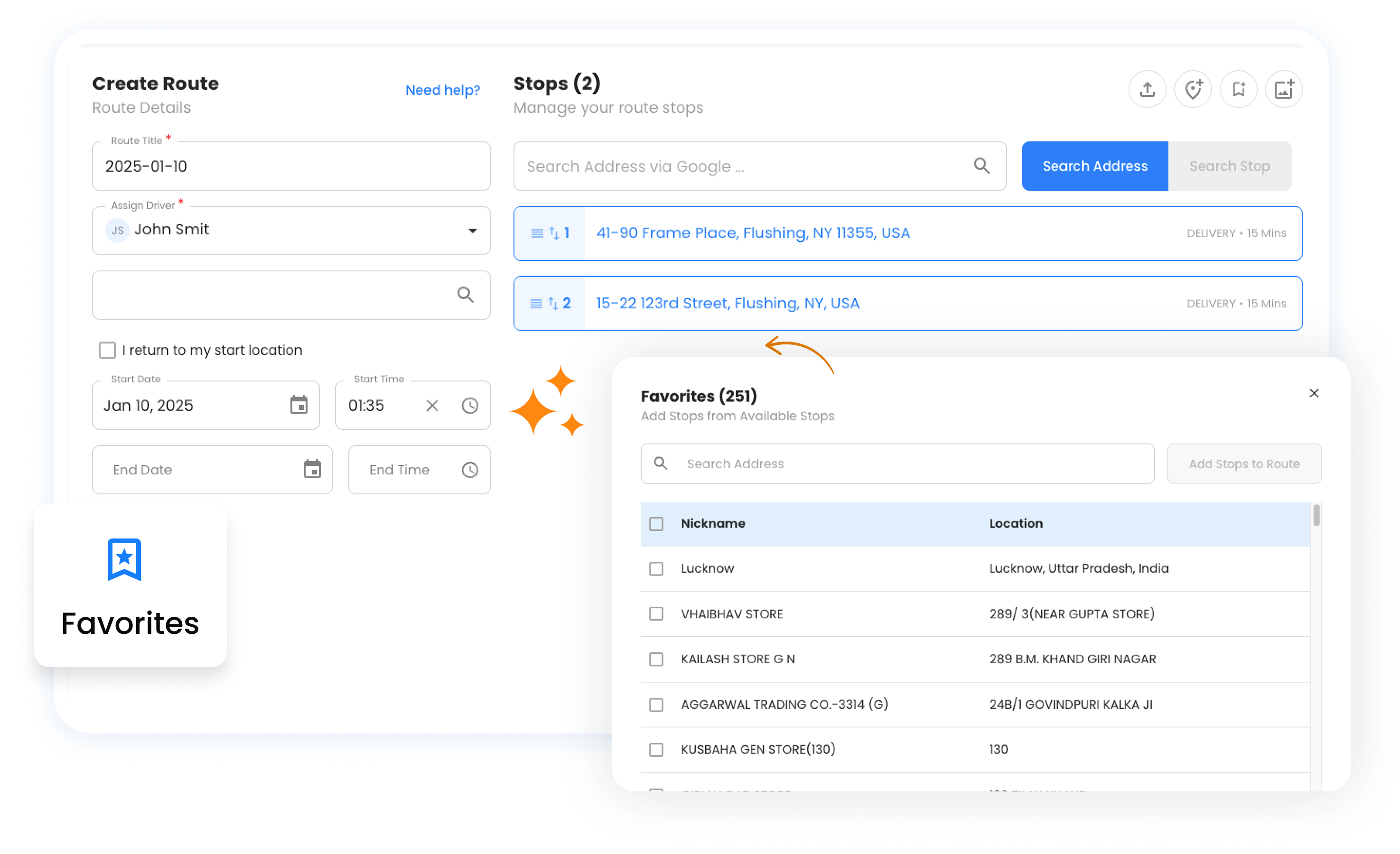
Faster route creation
Address typos or errors
Add stops from the library
Build and organize your customer library for lightning-fast route creation.

Save any customer with their address, notes, and custom attributes. Build your library as you work.

Upload your entire customer database at once. Import from spreadsheets with addresses, contact info, and custom data.

Organize contacts into logical groups—by region, customer type, service day, or any category that fits your workflow.

Tag contacts for specific days of the week. Build Monday routes for Monday customers with a single click.

Select contacts and create optimised routes instantly. No more typing addresses or searching for customer info.
From hours of data entry to seconds of route building
Upload your customer database or save locations as you complete routes
Group by region, day, customer type, or any category that makes sense
Select favorites, click create, and your optimised route is ready
See the difference a saved contacts library makes


Save time across any industry with repeat customers
A meal prep service imports 200 weekly subscribers as contacts, grouped by delivery zone. Each Sunday, they select “Zone A” contacts and create an optimised route in seconds. Customer dietary notes and gate codes are always attached.
A pool cleaning company organizes 150 customers into day-of-week groups. Monday contacts, Tuesday contacts, etc. Each morning, they load that day’s group and create routes instantly. Equipment notes and access instructions travel with each stop.
Build your contacts library and create routes in seconds, not hours

Explore our blog for insightful articles, expert advice, and inspiring content that keeps you informed.

Learn how route optimization makes financial document delivery secure, time-definite, and audit-ready across multiple branches or client sites.

Learn how construction delivery management combines scheduling, route optimization, and live tracking to cut delays and prove every delivery.

Compare the top route planner apps by features, pricing, and use case. Find out which tool fits your business before you sign up for another free trial.




















Copyright © 2026, Zeo Route Planner. All Rights Reserved. Powered By Expronto