
Blog | Zeo Route Planner - Part 21

Waze for Commercial Vehicle Routing Shortcomings

Reading Time: 3 minutesFor a normal user, navigation tools are the means of getting from point A to point B with the required

Waze for Commercial Vehicle Routing Shortcomings

Reading Time: 3 minutesFor a normal user, navigation tools are the means of getting from point A to point B with the required

How Long Does UPS Take to Deliver? UPS Shipping Calculator

Reading Time: 5 minutesReading Time: 3 minutes TL;DR: UPS delivery times range from 1-5 business days for Ground service to next-day for express

How to Search by Drive-time & Radius Around City?

Reading Time: 5 minutesReading Time: 3 minutes TL;DR: Google Maps doesn’t offer built-in drive-time or radius search features, but third-party tools like TravelTime

The Importance of Personalized Delivery Experiences in Food & Beverage Logistics

Reading Time: 3 minutesDon’t mistake food and beverage logistics for being simply about delivering packages from point A to point B. While there

How To Leverage Mobile Route Planning Apps for Food & Beverage Logistics

Reading Time: 4 minutesThe quality of food and beverages is sensitive to surroundings, packaging, and time. The time-bound deliveries reside at the core

How to Buy a FedEx Delivery Route for Sale

Reading Time: 4 minutesFedEx Ground routes are run by independent contractors. These owners handle either Pickup & Delivery (P&D) or Linehaul operations under

How Much to Tip a Delivery Driver?

Reading Time: 4 minutesEvery time a meal, parcel, or grocery order arrives at the door, the transaction isn’t quite over. A silent question

Amazon Delivery Service Partner

How to Buy Delivery Routes: A Guide

Reading Time: 5 minutesReading Time: 4 minutes TL;DR: Buying a delivery route means acquiring exclusive rights to deliver in a specific territory, with

Fastest Routes vs. Shortest Routes: Key Differences & Considerations

Reading Time: 5 minutesReading Time: 3 minutes TL;DR: Shortest routes minimize distance while fastest routes minimize time, and the best choice depends on

How to Start a Box Trucking Business?

Reading Time: 5 minutesReading Time: 3 minutes TL;DR: Start a box trucking business by registering your company, securing proper licenses and insurance, acquiring

A Breakdown of How Much Amazon Drivers Really Make?

Reading Time: 3 minutesYou’ve probably seen the job posts. Drive with Amazon. Flexible hours. Good pay. Maybe you’ve even thought about signing up

Safer Truck Routing with Zeo: Avoid Risky Roads & Overloads

Reading Time: 5 minutesThe wrong road can cost you more than just time. For fleet operators handling oversized vehicles or fragile goods, a

Zeo Questionnaire

Frequently
Asked
Questions

Know More

How do I add stop by typing and searching? Web

Follow these steps to add a stop by typing and searching:

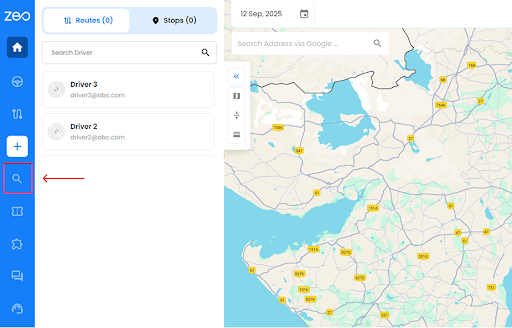
  • Go to Playground Page. You will find a search box in top left.
  • Type in your desired stop and it will show search results as you type.
  • Select one of the search results to add the stop to list of unassigned stops.

How do I import stops in bulk from an excel file? Web

Follow these steps to add stops in bulk using an excel file:

  • Go to Playground Page.
  • In top right corner you will see import icon. Press on that icon & a modal will open.
  • If you already have an excel file, press the "Upload stops via flat file" button & a new window will open up.
  • If you don't have an existing file, you can download a sample file and input all your data accordingly, then upload it.
  • In the new window, upload your file and match the headers & confirm mappings.
  • Review your confirmed data and add the stop.

How do I import stops from an image? Mobile

Follow these steps to add stops in bulk by uploading an image:

  • Go to Zeo Route Planner App and open On Ride page.
  • Bottom bar has 3 icons in left. Press on image icon.
  • Select the image from gallery if you already have one or take a picture if you don't have existing.
  • Adjust the crop for the selected image & press crop.
  • Zeo will automatically detect the addresses from the image. Press on done and then save & optimize to create route.

How do I add a stop using Latitude and Longitude? Mobile

Follow these steps to add stop if you have Latitude & Longitude of the address:

  • Go to Zeo Route Planner App and open On Ride page.
  • You will see a icon. Press on that icon & press on New Route.
  • If you already have an excel file, press the "Upload stops via flat file" button & a new window will open up.
  • Below search bar, select the "by lat long" option and then enter the latitude and longitude in the search bar.
  • You will see results in the search, select one of them.
  • Select additional options according to your need & click on "Done adding stops".

How do I add stops using QR Code? Mobile

Follow these steps to add stop using QR Code:

  • Go to Zeo Route Planner App and open On Ride page.
  • You will see a icon. Press on that icon & press on New Route.
  • Bottom bar has 3 icons in left. Press on QR code icon.
  • It will open up a QR Code scanner. You can scan a normal QR code as well as a FedEx QR code, and it will automatically detect the address.
  • Add the stop to route with any additional options.

How do I delete a stop? Mobile

Follow these steps to delete a stop:

  • Go to Zeo Route Planner App and open On Ride page.
  • You will see a icon. Press on that icon & press on New Route.
  • Add some stops using any of the methods & click on Save & Optimize.
  • From the list of stops that you have, long press on any stop that you want to delete.
  • It will open window asking you to select the stops that you want to remove. Click on Remove button and it will delete the stop from your route.

Zeo Blogs

Explore our blog for insightful articles, expert advice, and inspiring content that keeps you informed.

Hospital Linen Delivery Scheduling: 6 Ways to Cut Costs

Reading Time: 5 minutesSolve hospital linen delivery scheduling challenges with route optimization, real-time tracking, and driver management to cut costs and improve service.

How to Track Uniform Delivery Inventory: Complete Guide 2026

Reading Time: 7 minutesLearn how to track uniform delivery inventory from warehouse to customer doorstep with real-time visibility, accountability, and route optimization.

How to Optimize Refrigerated Delivery Routes in 2026

Reading Time: 6 minutesLearn how to optimize refrigerated delivery routes to cut costs by 25% while maintaining cold chain integrity through intelligent route planning software.

Xlork is a developer-first data import platform. It lets you embed CSV, Excel, and Google Sheets import into any app with AI-powered column mapping and schema validation. Explore free developer tools like JSON-to-CSV converters and color palette generators. No more building import flows from scratch — just drop in the Xlork SDK, sign up free, and ship clean data in minutes.