
Blog | Zeo Route Planner - Part 40

Elevating Courier Services with Next-Gen Route Optimization Tools

The courier service industry is crucial for modern logistics, enabling efficient delivery of goods and services. Effective routes save time

Elevating Courier Services with Next-Gen Route Optimization Tools

The courier service industry is crucial for modern logistics, enabling efficient delivery of goods and services. Effective routes save time

How To Use Zeo’s Free Route Planner for Google Maps?

Do you carefully plan your routes for hours on end, balancing multiple stops on Google Maps, and yet question whether
Advanced Route Optimization

Solve Route Optimization Problem: Use Zeo for Better Routes

Reading Time: 3 minutes TL;DR: Route optimization problems are solved by using algorithms that determine the most efficient sequence of

Streamline Your Plumbing Operations with Advanced Routing

Today, plumbing is a critical service because of the rise in construction in both residential and commercial sectors. Plumbing opportunities

HVAC Service Routes

How Zeo Route Planner Simplifies HVAC Service Routes in the USA

The HVAC service technicians in USA face many challenges that can effect their efficiency. From navigating through congested city streets

Fleet Route Management Software for Operational Excellence

In the fiercely competitive landscape of the logistics and distribution industry, managing your fleet efficiently is imperative in achieving peak
Overnight Shipments

Overnight Shipments: The Perfect Utilization of Night Delivery Hours!

Overnight shipping has become the ultimate lifesaver for businesses and customers in a world where speed and efficiency are vital.
7 Best Delivery and Pickup Services to Start in 2026

Pickup and delivery is one industry that has consistently picked pace since 2020. The global market size of all courier,

Real Estate 2026: How to Conduct Successful Site Visits?

Reading Time: 3 minutes TL;DR: Successful site visits in 2026 require thorough preparation, systematic evaluation of exteriors and interiors, and

Snow Plowing Logistics

Preparing for Winters: Strategies to Enhance your Snow Plowing Logistics

When winter storms arrive, cities grind to a halt, and fleet managers in snow plowing logistics take center stage. Managing
Automotive Logistics

Maximizing Performance in Automotive Logistics with Actionable Strategies for Fleet Managers

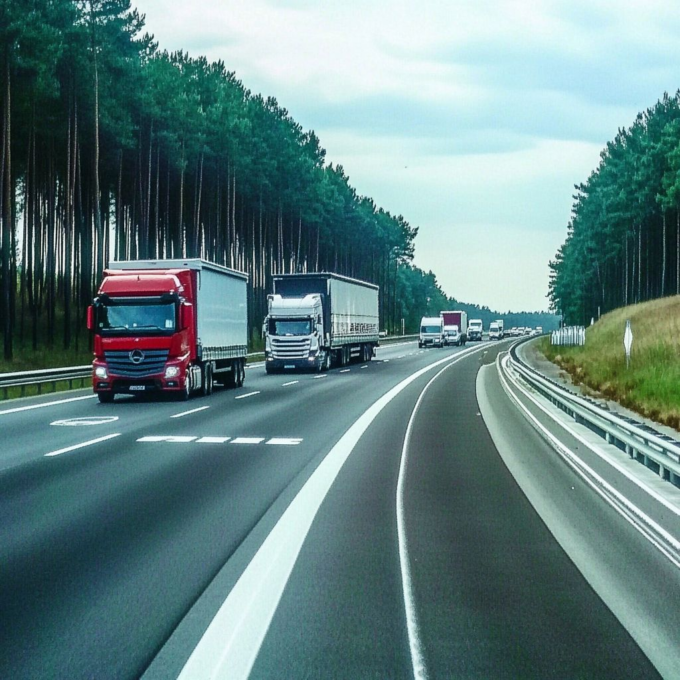
Efficient automotive logistics is the engine that keeps the automotive industry running, ensuring parts, vehicles, and supplies flow seamlessly from

Banking Logistics

Maximizing Efficiency in Banking Logistics: Proven Strategies for Fleet Managers

As the banking sector becomes more fast-paced and security-driven, fleet managers are faced with the challenge of managing logistics that


Zeo Questionnaire

Frequently
Asked
Questions

Know More

How do I add stop by typing and searching? Web

Follow these steps to add a stop by typing and searching:

  • Go to Playground Page. You will find a search box in top left.
  • Type in your desired stop and it will show search results as you type.
  • Select one of the search results to add the stop to list of unassigned stops.

How do I import stops in bulk from an excel file? Web

Follow these steps to add stops in bulk using an excel file:

  • Go to Playground Page.
  • In top right corner you will see import icon. Press on that icon & a modal will open.
  • If you already have an excel file, press the "Upload stops via flat file" button & a new window will open up.
  • If you don't have an existing file, you can download a sample file and input all your data accordingly, then upload it.
  • In the new window, upload your file and match the headers & confirm mappings.
  • Review your confirmed data and add the stop.

How do I import stops from an image? Mobile

Follow these steps to add stops in bulk by uploading an image:

  • Go to Zeo Route Planner App and open On Ride page.
  • Bottom bar has 3 icons in left. Press on image icon.
  • Select the image from gallery if you already have one or take a picture if you don't have existing.
  • Adjust the crop for the selected image & press crop.
  • Zeo will automatically detect the addresses from the image. Press on done and then save & optimize to create route.

How do I add a stop using Latitude and Longitude? Mobile

Follow these steps to add stop if you have Latitude & Longitude of the address:

  • Go to Zeo Route Planner App and open On Ride page.
  • You will see a icon. Press on that icon & press on New Route.
  • If you already have an excel file, press the "Upload stops via flat file" button & a new window will open up.
  • Below search bar, select the "by lat long" option and then enter the latitude and longitude in the search bar.
  • You will see results in the search, select one of them.
  • Select additional options according to your need & click on "Done adding stops".

How do I add stops using QR Code? Mobile

Follow these steps to add stop using QR Code:

  • Go to Zeo Route Planner App and open On Ride page.
  • You will see a icon. Press on that icon & press on New Route.
  • Bottom bar has 3 icons in left. Press on QR code icon.
  • It will open up a QR Code scanner. You can scan a normal QR code as well as a FedEx QR code, and it will automatically detect the address.
  • Add the stop to route with any additional options.

How do I delete a stop? Mobile

Follow these steps to delete a stop:

  • Go to Zeo Route Planner App and open On Ride page.
  • You will see a icon. Press on that icon & press on New Route.
  • Add some stops using any of the methods & click on Save & Optimize.
  • From the list of stops that you have, long press on any stop that you want to delete.
  • It will open window asking you to select the stops that you want to remove. Click on Remove button and it will delete the stop from your route.

Zeo Blogs

Explore our blog for insightful articles, expert advice, and inspiring content that keeps you informed.

Legal Document Delivery Optimization: A Process Server

Learn legal document delivery optimization strategies to cut mileage, hit court deadlines, and capture defensible proof of service every time.

Financial Document Delivery: A 2026 Compliance Guide

Learn how route optimization makes financial document delivery secure, time-definite, and audit-ready across multiple branches or client sites.

Construction Delivery Management: Beyond Scheduling (2026)

Learn how construction delivery management combines scheduling, route optimization, and live tracking to cut delays and prove every delivery.

Xlork is a developer-first data import platform. It lets you embed CSV, Excel, and Google Sheets import into any app with AI-powered column mapping and schema validation. Explore free developer tools like JSON-to-CSV converters and color palette generators. No more building import flows from scratch — just drop in the Xlork SDK, sign up free, and ship clean data in minutes.