Blog | Zeo Route Planner - Part 48

Overnight Safety as a Delivery Driver: Ensuring a Smooth & Secure Shift

Reading Time: 5 minutesReading Time: 2 minutes TL;DR: Overnight delivery drivers can maintain safety through proper preparation, navigation planning, and vigilance during their

Overnight Safety

Overnight Safety as a Delivery Driver: Ensuring a Smooth & Secure Shift

Reading Time: 5 minutesReading Time: 2 minutes TL;DR: Overnight delivery drivers can maintain safety through proper preparation, navigation planning, and vigilance during their

Get Quick Refunds

How to Successfully Get Quick Refunds on Late Deliveries from Domino’s?

Reading Time: 4 minutesReading Time: 3 minutes TL;DR: To get quick refunds on late Domino’s deliveries, document the delay time, contact customer service

Route Planning

Route Planning: Choosing Between Shortest vs. Fastest Routes

Reading Time: 6 minutesReading Time: 3 minutes TL;DR: Zeo Route Planner is a leading route optimization solution because it uses AI-powered algorithms to

How to Draw a Radius on Google Maps with My Maps & Circle Plot?

Reading Time: 6 minutesReading Time: 4 minutes TL;DR: Google Maps doesn’t natively support drawing radius circles, but you can create them using Google

Route Planning for Real Estate

The Role of Route Planning in the Real Estate Business

Reading Time: 5 minutesReading Time: 4 minutes TL;DR: Route planning optimizes real estate operations by reducing travel time between property visits, client meetings,

How to Track a Vehicle With Zeo’s Live Route Tracking?

Reading Time: 5 minutesReading Time: 3 minutes TL;DR: Vehicle tracking with live route monitoring uses GPS technology to provide real-time location updates and

Making Money Instacart

Making Money with Instacart

Reading Time: 5 minutesReading Time: 4 minutes TL;DR: Full-service Instacart shoppers can earn flexible income by shopping for and delivering groceries, with earnings

Warehouse Slotting

Warehouse Slotting: Improve Efficiency and Save Money

Reading Time: 6 minutesReading Time: 5 minutes Reading Time: 4 minutes TL;DR: Warehouse slotting is the strategic organization of inventory to improve efficiency,

Route Planning Solutions

Route Planning Solutions for Home Services: Enhancing Efficiency for Service Professionals

Reading Time: 5 minutesReading Time: 3 minutes TL;DR: Route planning solutions enhance home service efficiency by optimizing travel routes, reducing fuel costs, and

Waste Management

Route Planning for Waste Management: Sustainable Solution for Waste Collection and Disposal

Reading Time: 6 minutesReading Time: 4 minutes TL;DR: Optimized route planning transforms waste management operations by reducing fuel costs, improving collection efficiency, and

Logistics Planning

Logistics Planning for Large Scale Landscaping Projects: Ensuring Smooth Delivery and Installation

Reading Time: 5 minutesReading Time: 3 minutes TL;DR: Large-scale landscaping projects require coordinated logistics planning to synchronize material deliveries, equipment transport, and crew

Proof of Delivery

Proof of Delivery and its Role in Order Fulfillment

Reading Time: 6 minutesReading Time: 4 minutes TL;DR: Proof of delivery serves as documented verification that shipments reached their intended recipients, providing accountability

Zeo Questionnaire

Frequently
Asked
Questions

Know More

How do I add stop by typing and searching? Web

Follow these steps to add a stop by typing and searching:

  • Go to Playground Page. You will find a search box in top left.
  • Type in your desired stop and it will show search results as you type.
  • Select one of the search results to add the stop to list of unassigned stops.

How do I import stops in bulk from an excel file? Web

Follow these steps to add stops in bulk using an excel file:

  • Go to Playground Page.
  • In top right corner you will see import icon. Press on that icon & a modal will open.
  • If you already have an excel file, press the "Upload stops via flat file" button & a new window will open up.
  • If you don't have an existing file, you can download a sample file and input all your data accordingly, then upload it.
  • In the new window, upload your file and match the headers & confirm mappings.
  • Review your confirmed data and add the stop.

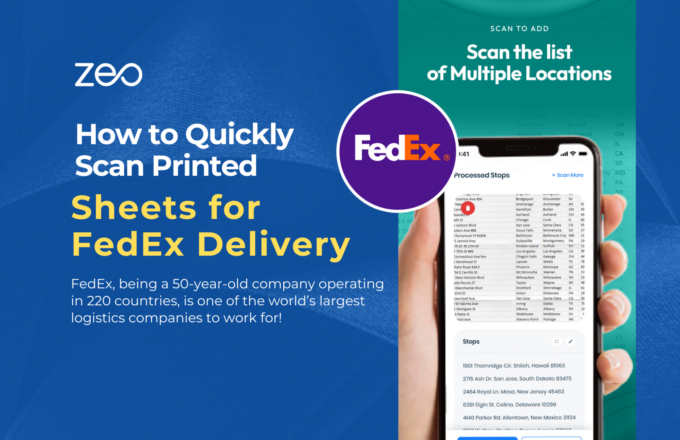
How do I import stops from an image? Mobile

Follow these steps to add stops in bulk by uploading an image:

  • Go to Zeo Route Planner App and open On Ride page.
  • Bottom bar has 3 icons in left. Press on image icon.
  • Select the image from gallery if you already have one or take a picture if you don't have existing.
  • Adjust the crop for the selected image & press crop.
  • Zeo will automatically detect the addresses from the image. Press on done and then save & optimize to create route.

How do I add a stop using Latitude and Longitude? Mobile

Follow these steps to add stop if you have Latitude & Longitude of the address:

  • Go to Zeo Route Planner App and open On Ride page.
  • You will see a icon. Press on that icon & press on New Route.
  • If you already have an excel file, press the "Upload stops via flat file" button & a new window will open up.
  • Below search bar, select the "by lat long" option and then enter the latitude and longitude in the search bar.
  • You will see results in the search, select one of them.
  • Select additional options according to your need & click on "Done adding stops".

How do I add stops using QR Code? Mobile

Follow these steps to add stop using QR Code:

  • Go to Zeo Route Planner App and open On Ride page.
  • You will see a icon. Press on that icon & press on New Route.
  • Bottom bar has 3 icons in left. Press on QR code icon.
  • It will open up a QR Code scanner. You can scan a normal QR code as well as a FedEx QR code, and it will automatically detect the address.
  • Add the stop to route with any additional options.

How do I delete a stop? Mobile

Follow these steps to delete a stop:

  • Go to Zeo Route Planner App and open On Ride page.
  • You will see a icon. Press on that icon & press on New Route.
  • Add some stops using any of the methods & click on Save & Optimize.
  • From the list of stops that you have, long press on any stop that you want to delete.
  • It will open window asking you to select the stops that you want to remove. Click on Remove button and it will delete the stop from your route.

Zeo Blogs

Explore our blog for insightful articles, expert advice, and inspiring content that keeps you informed.

Route Planner Guide: Choose the Right Solution in 2026

Reading Time: 11 minutesStop wasting hours on manual route planning. Learn how to choose and implement the right route planner to save 2+ hours daily and cut fuel costs by 30%.

Delivery Optimization Success Stories: Real Results & Metrics

Reading Time: 6 minutesReal delivery optimization success stories showing 20-40% efficiency gains. Learn from companies that scaled from chaos to profitable operations.

Route Optimization Case Studies: Real ROI from 3 Industries

Reading Time: 7 minutesReal route optimization case studies showing 40% fuel savings, 60% more client visits, and 2-hour daily time savings. See actual ROI metrics before you invest.

Xlork is a developer-first data import platform. It lets you embed CSV, Excel, and Google Sheets import into any app with AI-powered column mapping and schema validation. Explore free developer tools like JSON-to-CSV converters and color palette generators. No more building import flows from scratch — just drop in the Xlork SDK, sign up free, and ship clean data in minutes.